The grocery list that knows what's already in your kitchen.
Larova keeps one shared list for your whole household — stocked by what you buy, updated by what you cook. Scan barcodes, turn recipes into groceries, and never buy a second gallon of milk again.
About the studio
A small studio with a long view.
WarfenHorton Labs LLC designs and ships consumer software with a simple belief: good tools should be calm, honest, and genuinely useful. We keep the team small so we can care about the details.
Larova is our first release. It won't be our last — this site will grow to host each app we build, alongside the guides, demos, and policies that keep everything transparent.
Larova
Your grocery run, handled.
Larova is a collaborative grocery, meal-planning, and pantry app for friend and family groups. Everyone shares the same lists in real time, plans meals together, and tracks the pantry — and it all works offline, syncing back up the moment you're connected.
Shared lists
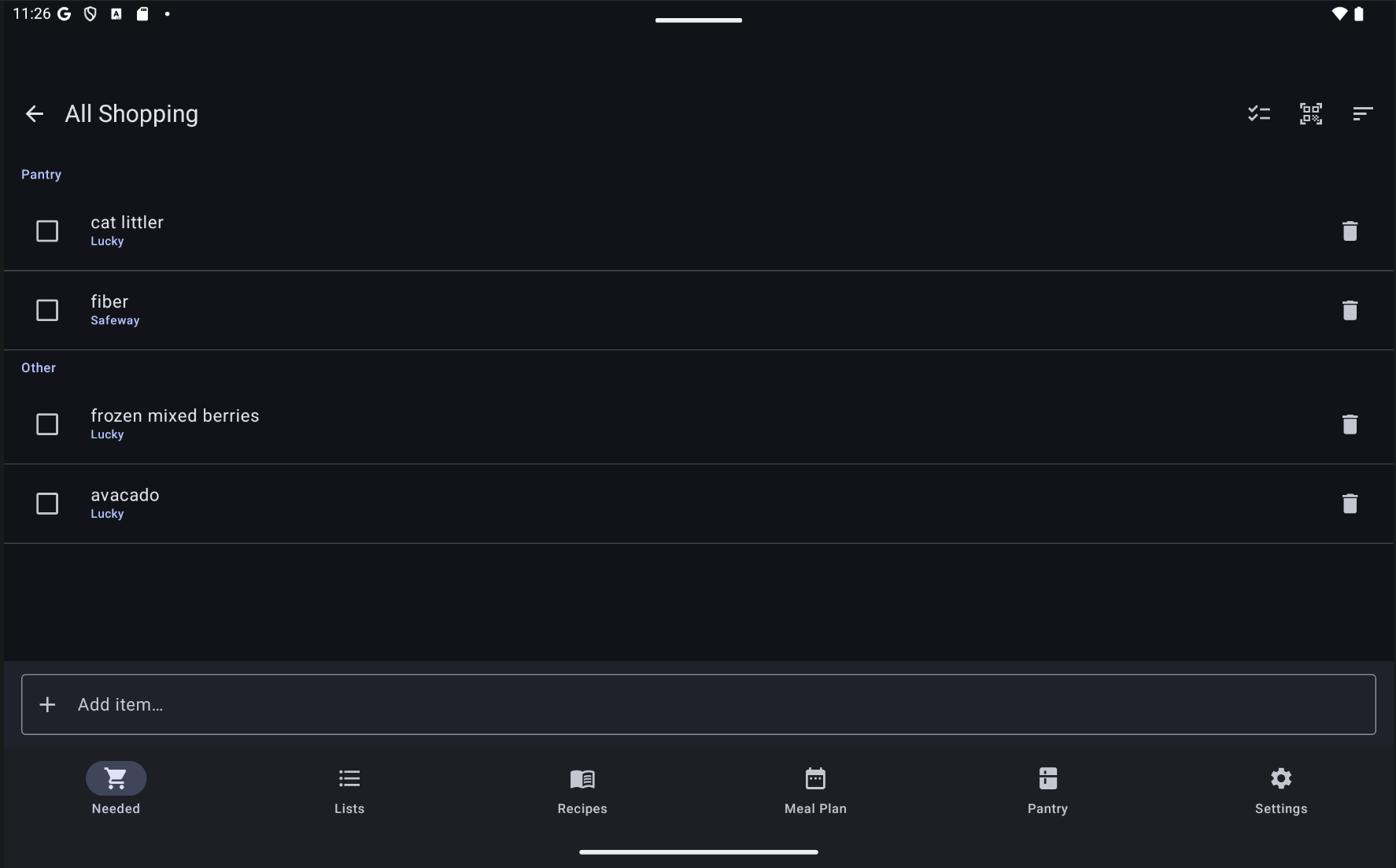
Everyone in your group adds and checks off items on the same lists at once. Duplicates auto-merge; a Shop view rolls every list into one trip, grouped by aisle.
Meal planning
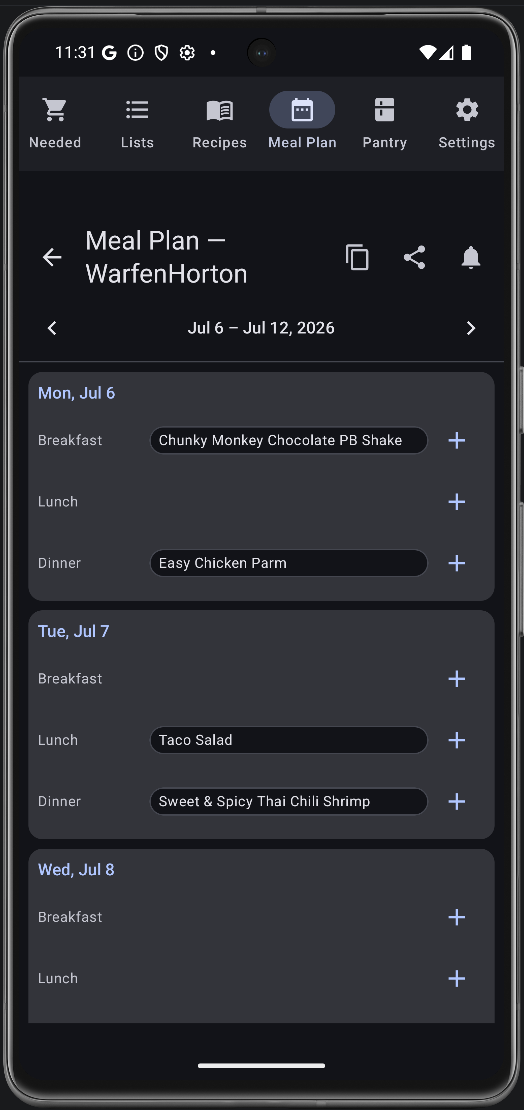
Schedule recipes across a weekly grid with breakfast, lunch, and dinner slots. Larova suggests exactly the groceries you're missing — cross-checked against your pantry.
Pantry tracking
A recipe-ingredient ledger that fills up when you buy and depletes when you cook — with reminders before things expire.
Barcode scanning
Scan at the store and Larova pre-fills name, brand, category, image, allergens, Nutri-Score, and Eco-Score from your catalog or open product databases.
Recipe library
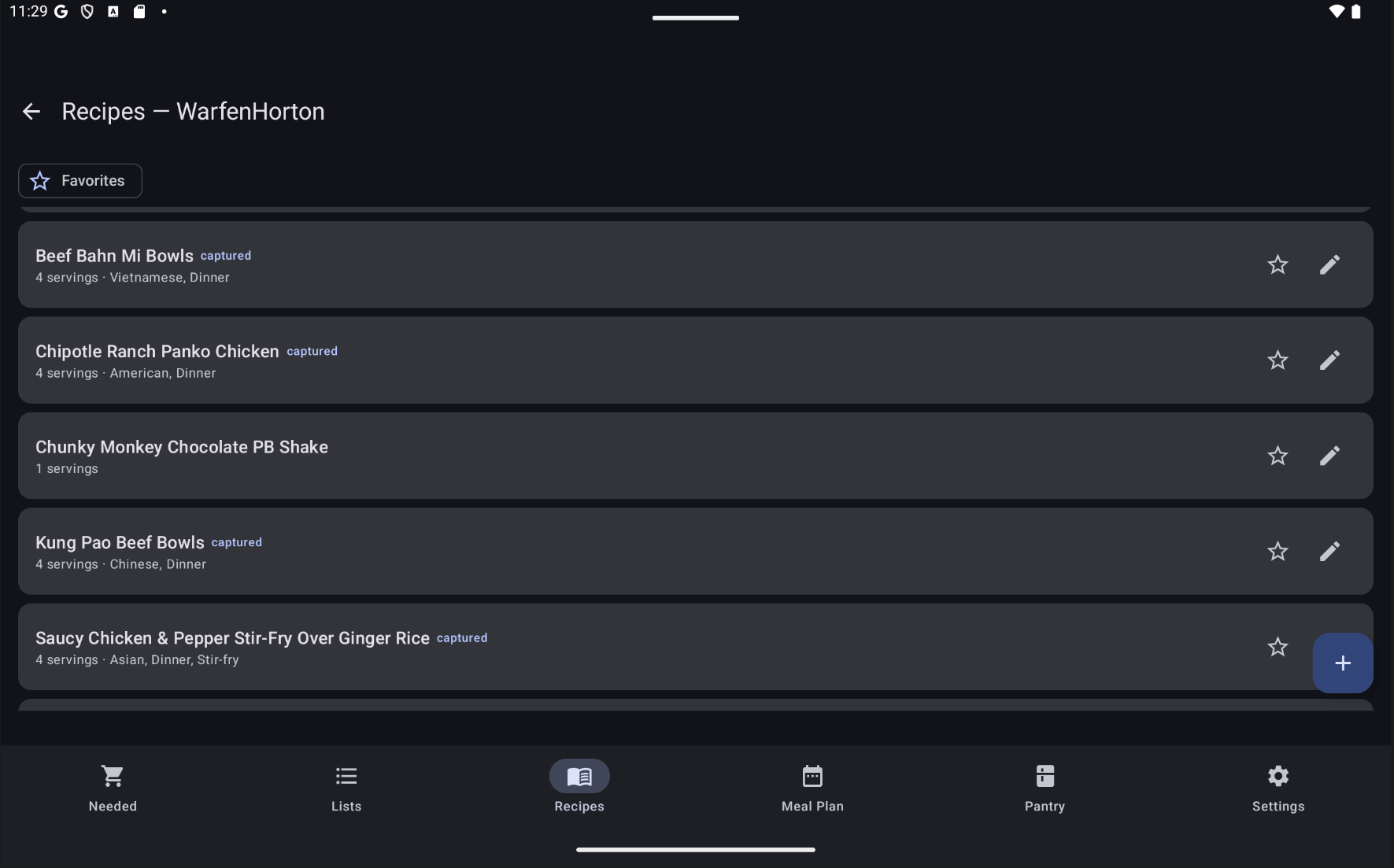
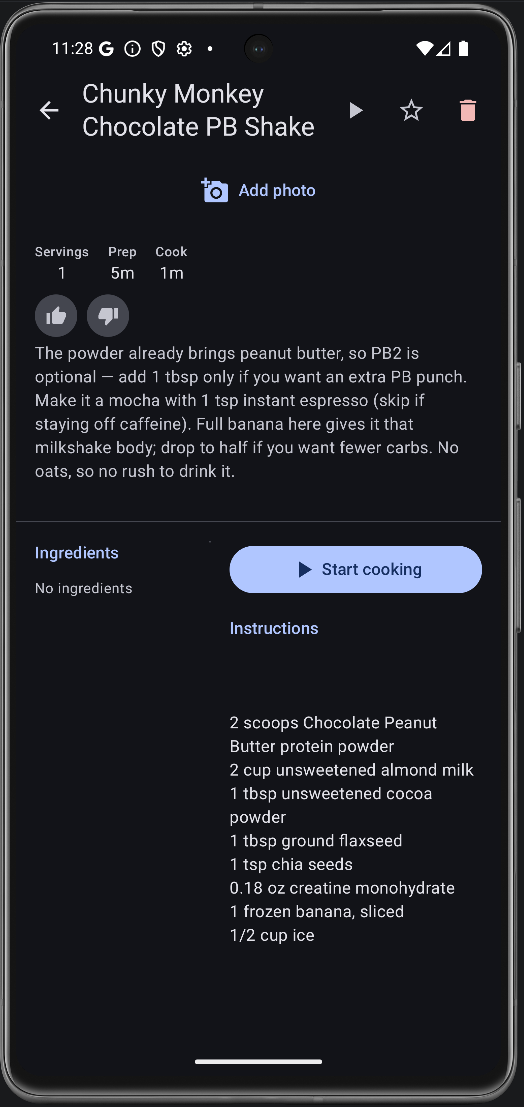
Add recipes three ways: type them in, import from a URL, or snap a photo and let Larova read the ingredients — even from meal-kit cards.
Widget & quick-add
Check items off from a home-screen widget, or add to your default list straight from a notification — no need to open the app.
See it in action
Screenshots
A look inside Larova — shared lists, your pantry, and your recipe library.
Getting started
How to use Larova
Start a group
Sign in with Google, create a group, and invite your household with a share link or a join request. Everyone sees the same lists, meals, and pantry.
Plan & build lists
Add items by hand or scan a barcode, and schedule recipes on the weekly meal grid. Larova suggests the exact groceries you're missing.
Shop & cook
Use the Shop view to check items off in the aisle. Purchases stock your pantry; marking a meal cooked depletes it — so your next list is always accurate.
Questions
Frequently asked
Legal
Privacy Policy
Last updated: July 29, 2026 · WarfenHorton Labs LLC
Larova ("the app") is a collaborative grocery, meal-planning, and pantry app operated by WarfenHorton Labs LLC. This policy explains what data the app collects, how it is used, and your choices.
Data we collect
- Account identity — when you sign in with Google, we receive your name, email address, and Google account ID via Firebase Authentication.
- Content you create — groups, grocery lists and items, recipes, ingredients, meal plans, pantry entries, the shared item catalog, and your member preferences. This content is shared with the members of any group you belong to.
- Device messaging token — a Firebase Cloud Messaging token, used to deliver notifications.
- Barcode / recipe inputs — barcodes you scan and recipe URLs/photos you import are sent to the services listed below to look up product and recipe details.
- Photos you upload — photos you attach to items or recipes are stored in Firebase Storage and shared with the members of that group.
- Crash logs and diagnostics — if the app crashes, we automatically receive a crash report containing the stack trace, your device model, operating system version, and app state at the time of the crash, together with a randomly generated installation identifier. This is not linked to your name or email address, and is deleted automatically within 90 days.
- Subscription status — if you purchase a subscription, we receive a purchase token from Google Play in order to verify it, and store the resulting plan and tier. We never receive or store your card or payment details.
We do not collect location, contacts, or advertising identifiers, and the app contains no third-party advertising.
How we use it
To provide and sync the app's features across your devices and group members, to send notifications you enable, and to look up product/recipe information you request.
Third-party services
- Google Firebase (Authentication, Firestore, Storage, Cloud Messaging, App Check, Crashlytics) — stores your account, content, and photos, powers sync, and collects crash reports.
- Google Play Billing — processes subscription purchases. Payment details are handled by Google and never reach us.
- Open Food Facts — barcode product lookups.
- Spoonacular — recipe-URL import.
- Google Gemini — parsing recipe text from imported photos.
Each receives only the data needed for that request (e.g. a barcode, a recipe URL, or OCR text) and processes it under its own privacy terms.
Data retention & deletion
Your content persists until you or your group delete it. You can delete your account and associated personal data from within the app (Settings → Delete account), or by contacting us at the address below.
Deleting your account removes your account identity, your profile, and any group that only you belong to — including its lists, recipes, meal plans, pantry entries, and uploaded photos. Content you added to groups that other members still belong to remains available to them, because shared lists belong to the group rather than to one person. Crash and diagnostic reports are deleted automatically within 90 days, and subscription records are retained where required for tax and accounting purposes.
For step-by-step instructions and a full breakdown of what is deleted and what is kept, see Delete your Larova account.
Children
The app is not directed to children under 13 and we do not knowingly collect their data.
Contact
Questions or deletion requests: [email protected].
Changes
We may update this policy; material changes will be noted by updating the date above.